![SGS-02 Ultra Smooth Drift Control Gyro System (Black) [Sanwa] 107A54622A](/images/supergdriftusa.shop/images/product/sgs-02-ultra-smooth-drift-control-gyro-system-black-sanwa-107a54622a-1.webp)
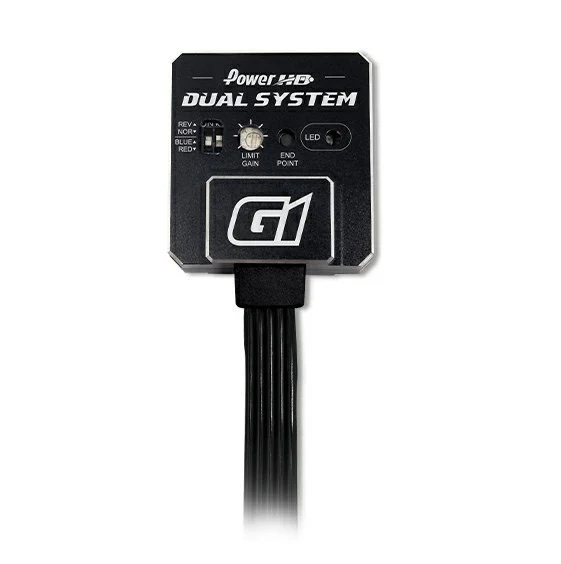
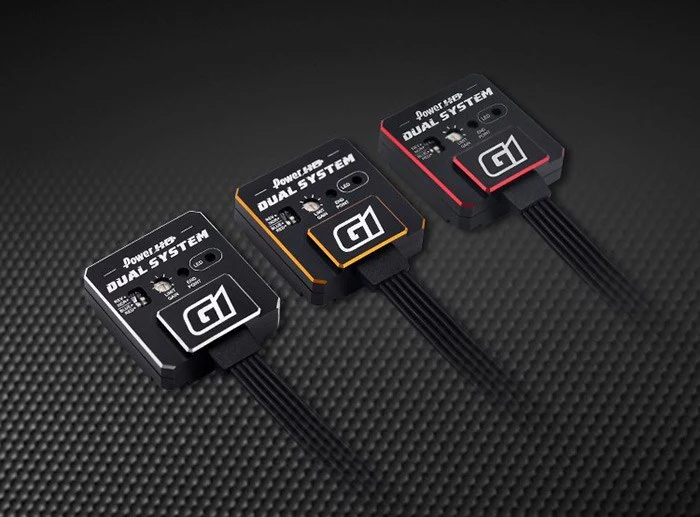
SGS-02 Ultra Smooth Drift Control Gyro System (Black) [Sanwa] 107A54622A
AL case
・Compatible with SXR
・New Function: Quick-ST
・Compatible with setting by MULTI-SETTING GEAR
| Dimensions |
27.6 x 22.6 x 8.0 mm |
||
| Weight |
11.4 g |
||
| Voltage |
3.7 - 7.4 V |
||
【Additional Explanation for using MULTI SETTING GEAR】
SGS-02 can be set by MULTI SETTING GEAR.
MULTI SETTING GEAR default firmware is for PGS-LH/XB/XR.
Please update firmware before setting.
*Please use firmware for PGS-HR when using for SGS-02.
*in case of not changing compatible firmware, display will show model is different.
【How to change MULTI SETTING GEAR】
1. Download each firmware in the below link
GEA11108.pro
2. Unzip the download folder and save program to Micro SDHC Card
3. Insert Micro SDHC Card to MULTI SETTING GEAR
4. Turn on MULTI SETTING GEAR holding with BACK button
5. Choose correct firmware for your servo and press ENTER button
6. Turn off the MULTI SETTING GEAR
7. After connected your servo, turn on the MULTI SETTING GEAR again.
8. Start setting
※If the firmware is not correct. display "PLEASE CHANGE."
Please back to 5. and choose correct firmware.
【Online Manual】
SGS-02 Manual.pdf
Original: $84.99
-65%$84.99
$29.75More Images
![SGS-02 Ultra Smooth Drift Control Gyro System (Black) [Sanwa] 107A54622A - Image 2](/images/supergdriftusa.shop/images/product/sgs-02-ultra-smooth-drift-control-gyro-system-black-sanwa-107a54622a-2.webp)
SGS-02 Ultra Smooth Drift Control Gyro System (Black) [Sanwa] 107A54622A
AL case
・Compatible with SXR
・New Function: Quick-ST
・Compatible with setting by MULTI-SETTING GEAR
| Dimensions |
27.6 x 22.6 x 8.0 mm |
||
| Weight |
11.4 g |
||
| Voltage |
3.7 - 7.4 V |
||
【Additional Explanation for using MULTI SETTING GEAR】
SGS-02 can be set by MULTI SETTING GEAR.
MULTI SETTING GEAR default firmware is for PGS-LH/XB/XR.
Please update firmware before setting.
*Please use firmware for PGS-HR when using for SGS-02.
*in case of not changing compatible firmware, display will show model is different.
【How to change MULTI SETTING GEAR】
1. Download each firmware in the below link
GEA11108.pro
2. Unzip the download folder and save program to Micro SDHC Card
3. Insert Micro SDHC Card to MULTI SETTING GEAR
4. Turn on MULTI SETTING GEAR holding with BACK button
5. Choose correct firmware for your servo and press ENTER button
6. Turn off the MULTI SETTING GEAR
7. After connected your servo, turn on the MULTI SETTING GEAR again.
8. Start setting
※If the firmware is not correct. display "PLEASE CHANGE."
Please back to 5. and choose correct firmware.
【Online Manual】
SGS-02 Manual.pdf
Product Information
Product Information
Shipping & Returns
Shipping & Returns
Description
AL case
・Compatible with SXR
・New Function: Quick-ST
・Compatible with setting by MULTI-SETTING GEAR
| Dimensions |
27.6 x 22.6 x 8.0 mm |
||
| Weight |
11.4 g |
||
| Voltage |
3.7 - 7.4 V |
||
【Additional Explanation for using MULTI SETTING GEAR】
SGS-02 can be set by MULTI SETTING GEAR.
MULTI SETTING GEAR default firmware is for PGS-LH/XB/XR.
Please update firmware before setting.
*Please use firmware for PGS-HR when using for SGS-02.
*in case of not changing compatible firmware, display will show model is different.
【How to change MULTI SETTING GEAR】
1. Download each firmware in the below link
GEA11108.pro
2. Unzip the download folder and save program to Micro SDHC Card
3. Insert Micro SDHC Card to MULTI SETTING GEAR
4. Turn on MULTI SETTING GEAR holding with BACK button
5. Choose correct firmware for your servo and press ENTER button
6. Turn off the MULTI SETTING GEAR
7. After connected your servo, turn on the MULTI SETTING GEAR again.
8. Start setting
※If the firmware is not correct. display "PLEASE CHANGE."
Please back to 5. and choose correct firmware.
【Online Manual】
SGS-02 Manual.pdf